Short-form video platforms like Instagram Reels, TikTok, and YouTube Shorts have reshaped how audiences consume content. One of the strongest trends in short video creation is AI-generated voiceovers — quick, consistent, and scalable.
This guide breaks down everything you need to know to create powerful short-form videos with AI voiceovers, so you can captivate audiences, boost engagement, and scale your output without time-consuming audio recording sessions.
✅ Why AI Voice Is Perfect for Short-Form Videos
Creators who use AI voiceovers get several advantages:
- No recording equipment needed
- No editing mistakes or background noise
- Consistent vocal tone
- Multi-language support
- Faster production workflow
- Greater accessibility
In 2026, AI voices are natural enough that many viewers don’t even realize they’re computer-generated.
🧠 What Makes a Great AI Voice for Reels & Shorts
Before we jump into tools and steps, here are the key qualities to look for:
👍 Natural Tone
AI voice should feel human — not robotic.
🎯 Expressiveness
Subtle inflection and pacing matter on short formats.
🌍 Language Support
Reach global audiences with multi-lingual options.
🚀 Speed
Quick generation and preview is critical for creators on tight schedules.
🧰 Commercial Rights
Make sure the TTS tool supports using voices in monetized videos.
🔝 Best AI Voice Tools for Reels, Shorts & TikTok (2026)
Here are top tools creators use today:
🥇 Nepvox — Best All-Around AI Voice for Short Videos
Why it’s great:
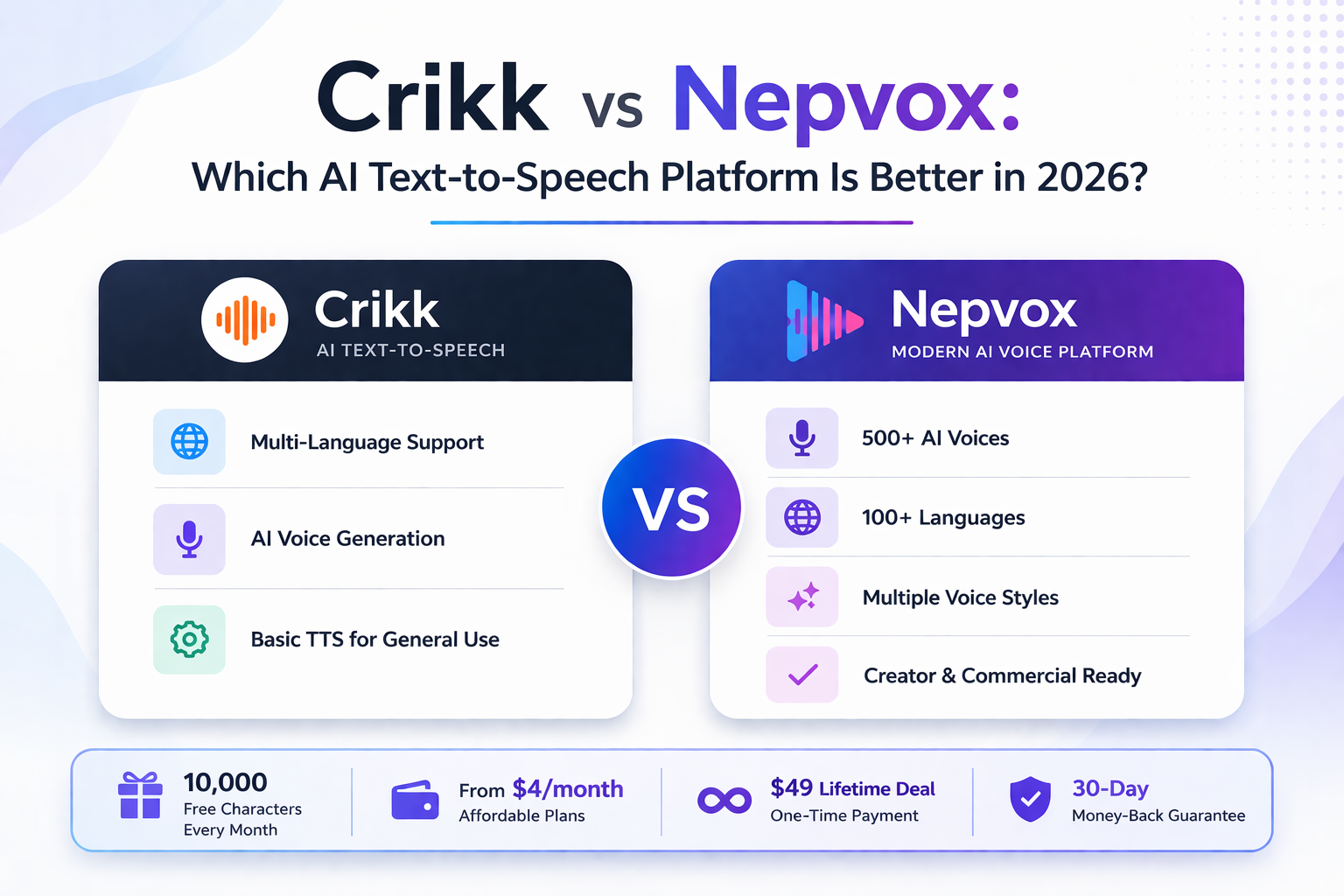
- 500+ voices
- 100+ languages
- 10,000 free characters monthly
- Affordable plans
- Fast generation & easy export
Best for:
Creators producing multilingual, affordable, and frequent short videos.
🥈 ElevenLabs — Premium Human-Like AI Voice
Why it’s great:
- Ultra-realistic voices
- Emotional nuance and tone control
Best for:
Story-style or narrative-heavy videos, cinematic content.
🥉 Play.ht — Developer-Centric TTS
Why it’s great:
- Strong API
- Great for automation
Best for:
Creators building tools or automation around voice generation.
💼 Murf AI — Business Narrative Voice
Why it’s great:
- Clean corporate voice
- Useful for branded content
Best for:
Professional or marketing video narration.
🎥 Step-by-Step Workflow for AI Voice in Reels & TikTok
Here’s a repeatable system you can use every time:
✅ Step 1: Write Your Script
Short-form videos are fast — write like you speak:
- Keep sentences short
- Use active language
- Add hooks early
- Include calls-to-action
Example:
“3 quick TikTok tips you need to try today 👇”
✅ Step 2: Generate Voiceover
Open your TTS tool:
- Paste script
- Choose voice & language
- Adjust speed or tone
- Generate
- Preview
- Download audio file (MP3/WAV)
Best voice options:
- Energetic
- Conversational
- Neutral friendly
✅ Step 3: Match Voice with Video
Use editing tools like:
- CapCut
- VN Editor
- CapCut Mobile
- InShot
- Premiere Pro
Sync audio and visuals for maximum engagement.
Pro tip:
Leave 0.3–0.5s silence at start and end for clean framing.
📊 Example Scripts You Can Use
👉 Hook First
“3 TikTok mistakes you’re probably making…”
👉 Numbered Lists
“First tip… Second… Finally…”
👉 Story Style
“I tried this trend for 7 days… here’s what happened”
👉 Facts & Statistics
“Did you know 72% of viewers watch with sound off? But AI voice helps.”
🔥 Best Practices for Engagement (2026)
🎯 Keep It Short & Punchy
AI voice works best when voices are 3–15 seconds long.
🎤 Choose Consistent Voices
Stay consistent across videos for brand recognition.
🔊 Adjust Speed & Tone
Faster pace for quick info, slower for storytelling.
🌍 Use Local Languages
Reach niche audiences with localized voiceovers.
📈 Add Captions
Even though you use voice, captions help retention.
📌 Monetization & Rights
Most platforms require:
✔ Commercial rights
✔ Copyright-free audio
Before using the voice in monetized content, make sure your TTS service supports:
- TikTok monetization
- YouTube Shorts ad programs
- Brand partnerships
Nepvox supports commercial use under its pricing plans.
📊 Comparison Table: Best AI Voice Tools for Short Videos
| Feature | Nepvox | ElevenLabs | Murf AI | Play.ht |
| Voice Quality | 👍 High | ⭐ Ultra | 👍 Polished | 👍 Good |
| Languages | 🌍 100+ | 🌍 Strong | 🌍 Moderate | 🌍 Strong |
| Pricing | 💸 Affordable | 💰 Premium | 💰 Premium | 💸 Mid |
| Best For | Creators | Premium Narration | Business | Dev Integration |
| Ease of Use | ✅ Simple | 👍 Moderate | 👍 Moderate | 👍 Moderate |